
Private Computer Tutoring in Bali
Computer Tutoring in Bali: Every File Has a Place
Computer tutoring in Bali from Edupola pairs one tutor with one learner at your home or workplace. Most complaints that arrive here sound like 8 different problems and share one cause: nobody can see where a file actually sits. So reading the path comes before any software. Fees from IDR 153,800 per session.

Rating and fees for computer tutoring in Bali
| Programme | Computer and IT Tutoring in Bali |
|---|---|
| Provider | Edupola |
| Description | Private computer tutoring in Bali, one tutor per learner. Files and folders first, then spreadsheets for real work, then documents and presentations, then data and simple automation. |
| Fee | Fees start from Rp153,800 per session. |
| Session Length | Sessions run 60, 90, or 120 minutes. |
| Schedule | Flexible, shaped around the learner's needs. |
| Start | Lessons begin once the tutor and materials are ready. |
| Sessions per Month | 4 to 28 sessions per month, as needed. |
| Rating | 4.8 out of 5, based on 142 reviews |
Programme at a Glance
Computer Tutoring in Bali and Why Files Feel Lost
Computer tutoring in Bali runs one tutor with one learner, at your home, your workplace, or over a screen. Learners arrive with a list of complaints that sound unrelated: attachments that will not send, two versions of the same report, a document that vanished after saving, a photograph that exists on the phone and not the laptop.
Nearly all of them share one cause. The file was saved somewhere the learner cannot see, usually because the save dialogue was dismissed without reading it. Nothing was lost; it is simply somewhere nobody looked, and no amount of software training fixes that.
So the programme starts at files, folders, and storage before touching any application. After that the material follows the learner's own work: spreadsheets for real tasks, documents and presentations, then data and simple automation. Fees start from IDR 153,800 per 60-minute session, with 4 to 28 sessions a month. This programme holds a 4.8 out of 5 rating across 142 learner reviews in Bali.
Files
Eight Things About Files That Settle Most Complaints
These are worked through in the first sessions of computer tutoring in Bali, on the learner's own machine and their own files.
-
Seeing the Path of a File
Every file has an address, and reading it answers most questions about where something went. Learners are shown where that address appears in the window and in the save dialogue, then asked to read it aloud.
-
Telling a Copy From the Original
A file opened from an email is a copy; edits to it never touch the one in your folder. This single confusion produces most of the two-versions problems that arrive here.
-
Saving With Names That Sort
A date written year first means the folder sorts itself chronologically. Names like final and revised stop working by the third revision, and everyone has met the file called final-2.
-
Folders Shaped Like the Work
One folder per job, year, or client, decided from how you actually look for things. A structure copied from someone else gets abandoned within a month.
-
Online Storage Against the Machine
A file in a synced folder lives in two places and a file on the desktop lives in one. Knowing which is which decides what survives when a laptop fails.
-
Finding a File by Searching
Search by part of the name, by date, or by type. Learners who search instead of browsing find things in seconds, and the habit also survives a reorganised folder.
-
Checking Size Before Sending
Most refused attachments are refused for size. Checking first, then sending a link or a reduced copy, saves the exchange of three emails that follows otherwise.
-
Keeping One Copy Elsewhere
One copy outside the machine, on an external drive or in synced storage. It takes a session to set up and it is the only protection against a failed drive.
Learning Path
The Order of Material From Files to Automation
The starting stage of computer work is set by the tasks a learner repeats each week, and never by the software they have heard of.
-
Stage 1
Files, Folders, and Storage
Paths, saving deliberately, a folder structure shaped like the learner's work, and one copy kept elsewhere. Learners often say this stage alone was worth the programme.
- Reading a path
- Saving deliberately
- A copy elsewhere
-
Stage 2
Spreadsheets for Real Work
A sheet built from the learner's own recurring task, with the formulas it actually needs. Practice files teach fluency with problems the learner does not have.
- Your own task
- Formulas that fit it
- Checking the result
-
Stage 3
Documents and Presentations
Long documents that keep their formatting, headings that generate a contents list, and slides that stay readable from the back of a room.
- Formatting that holds
- Headings and contents
- Readable slides
-
Stage 4
Data and Simple Automation
Joining records that live in several places, summarising them, and automating the part you repeat every week. Taken last, because automating a confused process multiplies the confusion.
- Joining records
- Summarising
- Automating one task
Job Map
Learner Occupations and the Material That Comes First
Computer tutors use this to order the material. The third column names what eats the most time in that job, and that is where the sessions start.
| Occupation | Material that comes first | What eats the most time |
|---|---|---|
| Administrative staff | Spreadsheets and document formatting | Retyping the same figures into a second file every week |
| Small business owner | Files, then a simple sales sheet | Looking for last month's records across phone, laptop, and chat |
| Teacher or school staff | Documents, marks sheets, presentations | Formatting that collapses whenever a document is reopened |
| Job applicant | Documents, email, and a readable CV | A CV that loses its layout on the recipient's computer |
| Accommodation manager | Booking sheets and shared online storage | Two people editing two copies of the same availability sheet |
| Learner starting later in life | Files, email, and video calls | Fear of pressing the wrong button, which stops practice entirely |
| Shop or stock keeper | Spreadsheets, then simple automation | Counting stock by hand because the sheet is not trusted |
Who It Is For
Learners Who Take Computer Lessons in Bali
Every session holds one learner, so the files opened in the session are that learner's own.
-
Administrative Staff
Learners in Bali with the same report to assemble every week. Which task gets automated first follows how often that report comes round, so the hours saved show up on the next one.
-
Small Business Owners
Learners in Bali keeping records across a phone, a laptop, and chat messages. Bringing them into one place is usually the first session's work.
-
Teachers and School Staff
Learners producing marks sheets and teaching material in Bali. Formatting that survives being reopened carries the weight.
-
Job Applicants
Learners in Bali who need a CV and an email that reach the recipient intact. Sending a document that keeps its layout is a specific skill and it is trained.
-
Accommodation Managers
Learners in Bali running bookings on a shared sheet. Shared online storage and who-edits-what come before any formula.
-
Learners Starting Later in Life
Learners in Bali who avoid the computer for fear of breaking something. The early sessions are spent making mistakes on purpose and undoing them.
Prepared by the Learner
What to Have Ready Before the First Session
The admin confirms these once the schedule for computer tutoring in Bali is agreed. A computer, a notebook, and any software licence are prepared by the learner and not included in the fee.
-
The Computer You Use Day to Day
Your own machine, not a borrowed or newer one. Where your files sit, which applications you have, and which habits you already use are all part of what is being taught.
-
Two Tasks You Repeat Every Week
The report you assemble, the list you retype, the message you rewrite. Real repeated tasks are what make the saving visible, and they decide which material comes first.
-
The Files You Use Most
Wherever they are: desktop, email attachments, a phone. Finding them together in the first session is itself the first lesson in paths and storage.
-
Logins for Email and Storage
Your email and any online storage, with the passwords you hold yourself. A session spent recovering access is a session not spent learning.
-
A Small Notebook
Steps are written by hand by the learner during the session. Notes handed over ready-made are almost never reopened, and the writing is part of the remembering.
If you are unsure what you repeat every week, say so during the consultation. The first session watches you do your ordinary work and finds it, which is usually quicker than describing it.
One Session
Inside a 60-Minute Computer Session
This is the division used once a learner has tasks to bring. The block where the learner repeats it unaided is never skipped.
-
10 minutes
Checking Last Week's Work
The task set last session is opened on the learner's own machine. What went wrong is more useful here than what went right.
-
15 minutes
One New Formula or Step
A single capability is shown inside the learner's real file: one formula, one setting, one shortcut. One per session, because two leaves neither remembered.
-
20 minutes
Repeating It Unaided
The learner does the same thing again with the tutor silent. This is where it becomes clear whether the step landed or the tutor's prompting was carrying it.
-
10 minutes
Writing the Steps Down
The learner writes the steps in their own words, in their own notebook, while the file is still open in front of them.
-
5 minutes
Setting the Work to Do
One notebook for writing the steps down in your own words. Self-made notes are the ones reopened most, especially in the first week after a session.
In a 90 or 120 minute session, a whole recurring task is rebuilt from scratch and then automated in one sitting, which is what learners with a weekly report to produce usually choose.
Confidence
Fear of Pressing the Wrong Button Can Be Settled
A sizeable share of learners in computer tutoring in Bali arrive apologising for being afraid of the machine. It is a reasonable fear with a specific cause: a computer gives no warning before most actions and no obvious way back, so a single bad experience teaches avoidance.
The remedy is to make the way back visible before anything else. Undo, the history of recent files, the recycle bin, and version history in online storage are all shown in the first sessions, and the learner is asked to break something on purpose and then recover it. Doing that two or three times moves the fear faster than any reassurance.
The second half is the copy kept elsewhere. A learner who knows that yesterday's version exists somewhere else experiments freely, and experimenting is how the rest of the programme gets absorbed. Tutors are asked to set that up in the first or second session for exactly this reason, before any spreadsheet work begins.
What Learners Say
Stories From Computer Learners in Bali
The quotes below come from learners in Bali who completed the computer programme at Edupola, with their situation and what changed.
-
★★★★★
I could only do basic spreadsheet work before and now I am comfortable with pivot tables and macros. My work is far more efficient and I was promoted.
Confident in spreadsheets within 2 months
Sudira
Administrative staff · Verified learner
-
★★★★★
The graphic design lessons at Edupola helped me put together a good portfolio. I have started getting freelance work.
Built a design portfolio
Ratih
Working professional · Verified learner
-
★★★★★
I learned programming from the beginning and have now found work as a junior developer. Worth every rupiah.
Found work in IT
Ariana
Fresh graduate · Verified learner
-
★★★★★
I can manage my own website and social accounts now. Turnover rose after the business moved online.
Business moved online
Agus
Small business owner · Verified learner
Records
A Report Cannot Be Built From Records in Four Places
The request that brings many business learners to computer tutoring in Bali is a monthly report. The obstacle is almost never the formula; it is that the figures live in four places: a notebook, chat messages, a phone gallery, and a spreadsheet somebody else keeps.
No amount of spreadsheet skill repairs that, so the sessions start one step earlier: deciding where a number is written down first. One place, chosen for whoever actually records it, at the moment it happens. A shared online sheet usually wins because the phone and the laptop both reach it, which matters when the person recording is not the person reporting.
Once there is a single place, the report becomes the easy part, and the programme then builds it from the learner's own records. The sequencing is deliberate and it is worth naming: automating a process that still gathers numbers from four places multiplies the confusion instead of removing it.
How to Register
Four Steps to the First Session
The opening consultation carries no fee. The admin asks what you repeat every week and what machine you use.
-
Name the Task You Repeat
One thing you do every week on the computer. That task decides which material comes first, and it keeps the lessons attached to work you actually have.
-
Agree the Schedule
The admin agrees the days, the times, how long a session runs, and how many fall in a month, working from the hours you can give to repeating that week's task.
-
Matching the Tutor
The team looks for a tutor whose travel to your location in Bali stays short, and that search runs 1 to 5 working days. Learners starting later in life are matched with a tutor used to that pace.
-
The First Session
Your own files are found together, the path of one of them is read aloud, and the way back from a mistake is set up before anything else.
Need help? Contact our admin on WhatsApp for a free consultation.
Service Area
Where Edupola Computer Tutors Travel in Bali
Tutors for computer tutoring in Bali travel to the location you choose, from Denpasar, Badung, and Gianyar through to Tabanan, Buleleng, Klungkung, Bangli, Karangasem, and Jembrana. The session happens wherever your own computer is, since that machine and its files are the material.
For working learners the workplace is usually the better venue, and for a specific reason: the shared drive, the printer, and the colleague who also edits the sheet are all there. A folder structure agreed without that colleague present tends to last until the next person saves a file somewhere else.
The Edupola office is not used as a lesson venue. Where no tutor is available near you, sessions run online. This programme transfers to the online route with one adjustment, described next. Ask the admin about tutor coverage at your location in Bali.
Documentation
Computer Lessons With Edupola in Bali
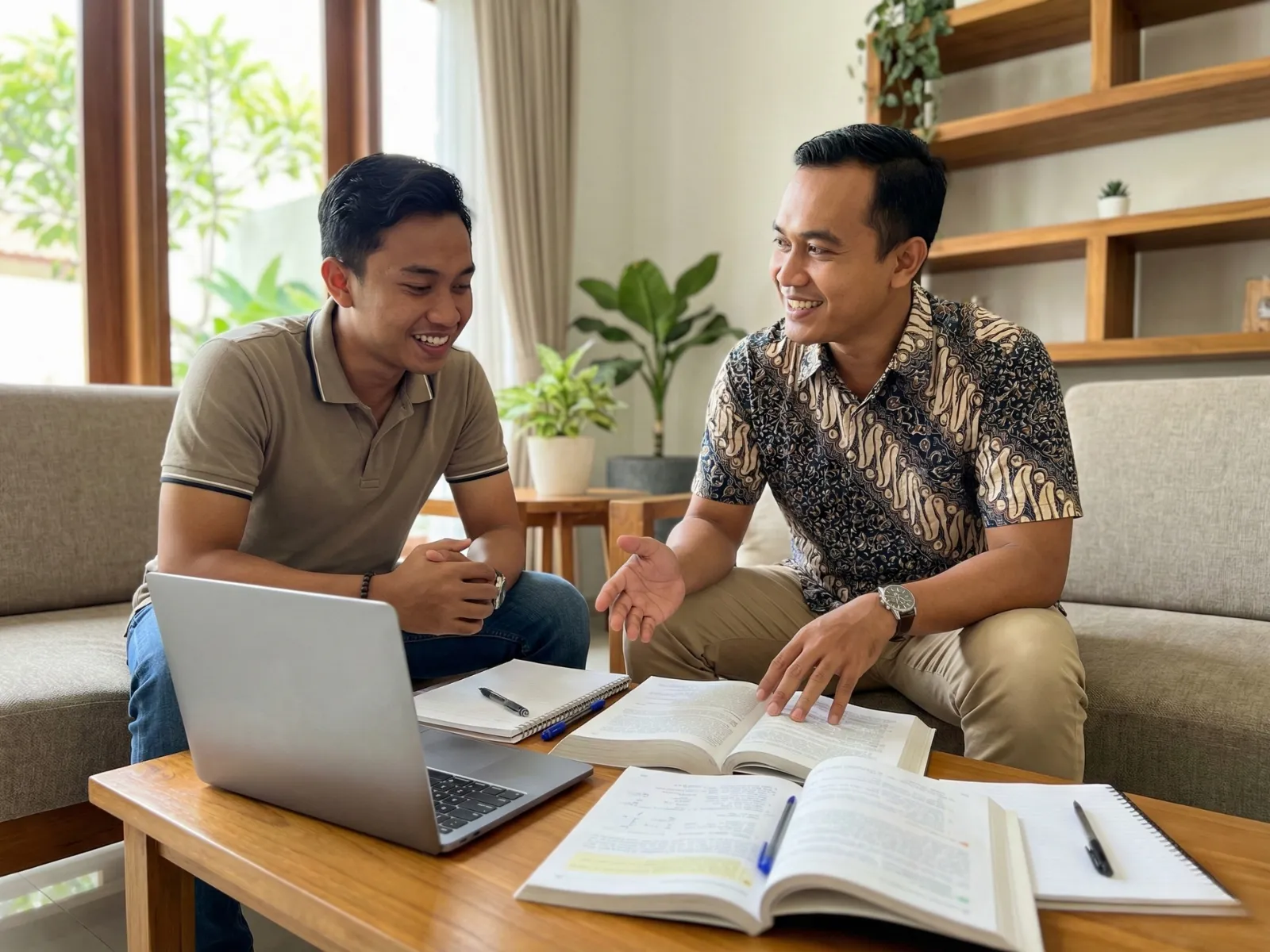
The photographs below were taken during computer tutoring in Bali sessions with learners on the island.




Online Sessions
Online Sessions in Bali and Hands That Stay the Learner's
Online sessions for computer tutoring in Bali run over Zoom or Google Meet, with one rule that decides whether they work: the learner shares their screen and keeps their own mouse and keyboard. Remote control finishes the task faster and teaches nothing, so tutors guide by describing where to look.
That constraint turns out to be an advantage for this subject. A learner who has to find the menu themselves while being told what it is called remembers where it was; a learner watching a cursor move does not. The written notes in the chat also stay with them afterwards.
The part that needs care is hardware: printers, cables, phone transfers, and a machine that will not start. Those need someone in the room, so learners with hardware trouble are better served face to face. Fees for online sessions match face-to-face sessions.
Frequently Asked
Questions From Computer Learners
What does private computer tutoring in Bali cost?
Fees start from IDR 153,800 for a 60-minute session, the shortest option. Sessions of 90 and 120 minutes are available with the fee following the length. The final fee follows session length and the number of sessions per month, between 4 and 28. The admin sends the breakdown in writing before the first payment. A computer, a notebook, and any software licence are prepared by the learner and not included in the fee.
I keep losing files. Does the programme fix that?
Yes, and it is where the programme in Bali starts. Files are rarely lost; they are saved somewhere you did not look, usually because the save dialogue was dismissed without reading it. The first sessions cover reading a path, saving deliberately, searching by name and date, and a folder structure shaped like your own work. Most learners say this stage alone was worth the lessons.
I am afraid of pressing the wrong button. How is that handled?
By showing the way back before anything else: undo, recent files, the recycle bin, and version history in online storage. The learner then breaks something on purpose and recovers it, two or three times. A copy kept outside the machine is set up early for the same reason, because a learner who knows yesterday's version exists will experiment, and experimenting is how the rest gets learned.
Do I have to use my own computer?
Yes, in Bali as anywhere, and it matters more than it sounds. The material includes where your files sit, which applications you have, and the habits you already use. On a different machine the steps come out differently from what you see at home, and what usually follows is that nothing gets practised between sessions.
What comes after the basics?
Whatever your own work needs, in a fixed order: spreadsheets built from a task you actually repeat, then long documents and presentations that keep their formatting, then joining records that live in several places and automating the weekly part. Automation comes last on purpose, because automating a process that still gathers numbers from four places multiplies the confusion.
How is a computer tutor matched to a learner?
The schedule is settled first during the consultation, covering days, times, session length, and sessions per month. The Edupola team then looks for a tutor whose travel to your location in Bali stays short, and that search runs 1 to 5 working days. Pace matters here: learners starting later in life are matched with a tutor used to working at that pace. If the first 2 weeks feel like a poor fit, a replacement is arranged at no extra cost.
Related Programmes
Other Programmes Learners Add in Bali
Learners taking computer tutoring in Bali often add one other programme, usually once the files are in order.
-

Spreadsheet Tutoring in Bali
Taken by learners whose weekly report needs more than the basics.
-

Office Software Tutoring in Bali
Chosen by learners who need documents and presentations for work.
-

Data Handling Tutoring in Bali
Often added when records from several places have to become one report.
Get Started
Start From the Task You Repeat Every Week
Name the task you repeat, the machine you use, and where your files usually end up. A tutor in Bali is matched within 1 to 5 working days.