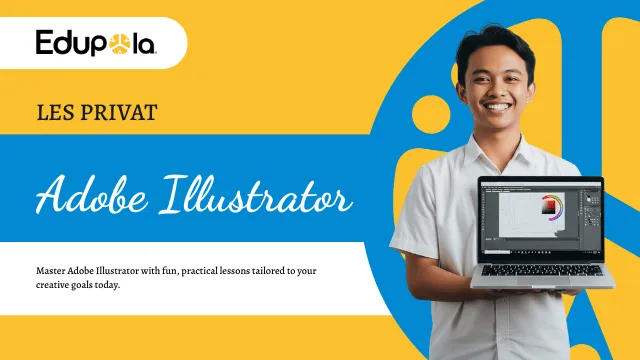
Private Adobe Illustrator Lessons
Adobe Illustrator Lessons in Bali: Vector Design from Pen Tool to Print File
Edupola's Adobe Illustrator lessons in Bali teach vector design one to one, at a place you choose or online. You learn the Pen Tool, logos, typography, packaging, and UI icons from IDR 197,300 per 60-minute session, the shortest option. Once scheduled, our team finds a tutor within 1 to 5 working days.
Vector Basics
What Makes Vector Design Different from Pixel Images?
A phone photo is a grid of colored squares with a fixed size. Enlarge it past that size and the edges turn soft and jagged. Adobe Illustrator stores a design as anchor points and curves, and it recalculates them every time you resize. The same logo can go on a 9 cm business card or a 3-meter shop banner and its edges stay crisp.
That is why Illustrator is the usual tool for logos, icons, flat illustration, fabric patterns, product labels, and any artwork that has to work at many sizes. Print shops, T-shirt screen printers, and sticker cutting services in Bali generally ask for vector files in AI, EPS, PDF, or SVG format, because cutting machines and screen films follow the paths in the design.
Product photos, skin retouching, and photo montage belong in Photoshop, which works with pixels. Many designers use both programs: they clean up a photo in Photoshop, then build the layout, text, and logo in Illustrator. During your Illustrator lessons in Bali, the tutor points out when a task is better moved to the other program, so you stop forcing one tool to do everything.
Illustrator lesson ratings and fees
| Program | Adobe Illustrator Lessons in Bali |
|---|---|
| Provider | Edupola |
| Description | Private Adobe Illustrator lessons in Bali, one tutor for one learner. Material: Pen Tool, logos and branding, digital illustration, typography, packaging design, and UI icons. |
| Fee | Rates start from Rp197,300 per session. |
| Session Length | Every session runs 60, 90, or 120 minutes. |
| Schedule | Flexible, set around the learner's available times. |
| Start | Registration is open all year. |
| Sessions per Month | 4 to 28 sessions, as needed. |
| Rating | 4.9 out of 5, based on 119 reviews |
Program Overview
Adobe Illustrator Lessons in Bali, One Tutor per Learner
Edupola's Adobe Illustrator lessons in Bali are private vector design lessons for school students, university students, and working adults. Some learners have never opened Illustrator; others already take paid design jobs and want cleaner files. Each session pairs one tutor with one learner, either in person at a place you choose in Bali or online through Zoom or Google Meet with screen sharing.
The material covers six areas of vector work: the Pen Tool, logos and brand identity, digital illustration, typography, packaging, and icons for apps and websites. Every session ends with a saved Illustrator file you can reopen, so your progress shows up as a growing set of artboards and finished pieces.
A session is 60 minutes at the shortest, with 90 or 120 minutes available, and you can book 4 to 28 sessions a month. Fees start from IDR 197,300 per 60-minute session; the final fee depends on session length and how many sessions you take each month. Your laptop, your Adobe Illustrator subscription, and any printing are arranged by you and are not included in the fee. If the tutor is not a good fit within the first 2 weeks, Edupola finds a replacement at no extra cost. The rating of 4.9 out of 5 comes from 119 learner reviews.
Core Skills
Core Skills Your Illustrator Tutor Works On
Private Adobe Illustrator lessons group the material into six skills. You can take them in order or concentrate on the project you are working on right now.
-
Pen Tool Control
Drawing smooth curves with as few anchor points as possible, using the Curvature Tool for quick sketches, and the Width Tool for lines that swell and taper.
-
Logos and Branding
Designing a logo from a brief, testing that it still reads at small sizes, then setting up color versions, a one-color version, and simple usage rules.
-
Digital Illustration
Flat and semi-realistic illustration with the Blend Tool, gradient mesh, and clipping masks, organized in tidy layers so detailed artwork stays easy to edit.
-
Typography
Pairing typefaces, adjusting kerning and leading, setting type on a curved path, and turning letters into editable shapes for a logotype.
-
Packaging Design
Box and label dielines, placing product information, simple mockups, and file setup so colors and cut lines come out right in production.
-
Icons and UI Assets
Icon sets with a consistent grid and stroke weight, Pixel Preview for small sizes, and lightweight SVG export for websites and apps.
Curriculum
Illustrator Lesson Curriculum by Level
The material is organized into four levels. In the first session, the tutor looks at what you can already do in Illustrator and starts you at the matching level.
-
Level 1 · Beginner
Vector Foundations
You get to know the Illustrator workspace: artboards, the Layers panel, the Properties panel, and the toolbar. The first exercises build shapes from the Rectangle, Ellipse, and Polygon tools, then combine or cut them with Shape Builder and Pathfinder.
The Pen Tool comes in early, through tracing simple outlines such as a leaf, the letter S, and a coffee cup. Solid fills, gradients, and basic typography (choosing a typeface, letter spacing, text alignment) round out this level.
- Artboards, layers, and the Properties panel
- Shape Builder and Pathfinder
- Pen Tool and Curvature Tool
- Solid fills and gradients
- Choosing and setting type
-
Level 2 · Intermediate
Visual Identity and Branding
This level follows how logos are made on real jobs: the brief, pencil sketches, digitizing, color variations, and a black and white version. Once the logo is done, you build an icon set with matching stroke weights and a repeating pattern with Pattern Options.
Image Trace turns hand sketches or raster images into vectors. You then clean up the result by hand, because automatic tracing almost always leaves too many anchor points.
- A logo from sketch to final file
- An icon set on one shared grid
- Business cards, letterhead, and a simple brand guide
- Patterns and textures
- Image Trace and cleaning up the result
-
Level 3 · Advanced
Production and Print-Ready Files
Complex illustrations are built with many layers, clipping masks, and opacity masks. For packaging, you draw a dieline, the cut and fold lines for a box or label, and place the design on top of it.
Preparing files for print is the core of this level: CMYK color mode, bleed, trim marks, converting text to outlines, and saving a PDF that a print shop will accept. For digital work, you practice Export for Screens and the Asset Export panel.
- Clipping masks and opacity masks
- Box and label dielines
- CMYK, bleed, and trim marks
- Outlined text and print PDFs
- PNG and SVG export for screens
-
Level 4 · Specialist
UI Icons, Animation Assets, and Portfolio
Icons for apps and websites are drawn on a pixel grid so they stay sharp at small sizes, then exported as SVG. Assets for motion graphics are prepared with cleanly separated layers so they are easy to animate in another program, and Illustrator's 3D effects are used for simple mockups.
The last part is your portfolio: selecting work, writing a short context for each project, and laying out a PDF presentation ready to send to clients or employers.
- Icons on a pixel grid with Pixel Preview
- Layered assets for motion graphics
- 3D effects for simple mockups
- Choosing work and writing project notes
- A PDF portfolio for job applications or client pitches
Common Mistakes
Common Illustrator Mistakes and How the Tutor Fixes Them
Self-taught Illustrator users tend to run into the mistakes below. During Adobe Illustrator lessons in Bali, the tutor corrects them inside your own file, at the moment they happen.
| Topic | Common mistake | How the tutor handles it |
|---|---|---|
| Pen Tool | Too many anchor points, so curves look wobbly | Tracing drills with a limit on the number of points, then dragging handles in the direction of the curve |
| Shape Builder and Pathfinder | Merging shapes whose strokes have not been expanded, so the result comes out wrong | Using Outline Mode (Ctrl+Y on Windows, Cmd+Y on Mac) to see the bare paths before merging |
| Color | Designing a print piece in an RGB document, so colors shift on paper | Setting the color mode when the document is created and using global swatches so brand colors change everywhere at once |
| Typography | Sending files with live text, so fonts get swapped on the print shop's computer | Keeping two versions: a working file with live text and a delivery file with text converted to outlines |
| Image Trace | Tracing a low-resolution JPG and getting thousands of anchor points | Tracing from a clean scan of the sketch, limiting colors and paths, then reducing points with Simplify |
| Logo scaling | Strokes look too thick or too thin after the logo is resized | Checking the Scale Strokes and Effects setting and testing the logo from icon size up to banner size |
| Print files | Forgetting bleed, so a white edge shows after trimming | Adding bleed to the print shop's spec, commonly 3 mm, and checking the PDF before sending it |
| Layers | Every object sits on one unnamed layer | Naming layers from the start and locking the sketch layer so it does not shift |
The tutor uses this list as a checklist when opening your file at the start of a session.
Teaching Method
How the Tutor Teaches: Projects, Demos, and Revisions
Every session is built around one working Illustrator file. The tutor switches between the approaches below depending on the day's material.
-
Project-Based Practice
Each topic is tied to a real piece of work, such as a logo for a business, an event poster, a bottle label, or an icon set. That file is what you discuss, fix, and eventually add to your portfolio.
-
Watch, Then Follow
The tutor demonstrates a technique on screen, such as building letters from basic shapes, and you repeat it on your own laptop, asking questions whenever you need to.
-
Work Review
The tutor assesses composition, color, legibility, and how tidy the file is, then leaves notes you can act on before the next session.
-
Brief and Revision Cycle
Practice follows the way client work runs: brief, draft, revision, final file. You get used to taking feedback and saving new versions without losing the old ones.
One Session
What Happens in One Illustrator Session?
Sessions are 60 minutes at the shortest, and can run 90 or 120. The example below uses 90 minutes for an intermediate learner who is working on a logo.
-
10 minutes
Opening Last Week's File
The tutor opens the file you have worked on since the previous session and marks what needs fixing, for example a curve that is not smooth yet or uneven letter spacing.
-
20 minutes
Demo of a New Technique
The tutor shows one technique, such as building a logo on a circle grid with Shape Builder, and you follow the steps on your own laptop.
-
35 minutes
Applying It to the Project
You apply the technique to your logo. The tutor watches your screen and stops you when a habit needs correcting, such as drawing without locking the sketch layer.
-
25 minutes
Review, Revisions, and Practice Plan
The logo is shrunk to app-icon size and viewed on a phone screen to test whether it still reads. The tutor gives the two or three revision notes that matter most. The session ends with a short assignment to finish before the next meeting, along with the keyboard shortcuts worth memorizing.
The split changes with level. Beginners get longer demos, while advanced learners spend more of the time on work review.
Learning Stages
Progress Markers You Can Check Yourself
How long each stage takes depends on how often you meet and how much you practice between sessions. The table shows what you can do by the end of each stage of your Illustrator lessons, with no forced deadlines.
| Stage | What you can do | Sample practice piece |
|---|---|---|
| Stage 1: getting to know the tools | Trace simple shapes with the Pen Tool without extra anchor points, and combine shapes with Shape Builder | Weather icons, a leaf, and a coffee cup on one artboard |
| Stage 2: a first logo | Turn a sketch into a vector logo, make color and black and white versions, and set the business name in type | A logo for a fictional or family business, with a business card |
| Stage 3: identity and packaging | Put together a simple brand guide and prepare a label or box dieline in CMYK with bleed | A drink bottle label or snack packaging ready to send to a print shop |
| Stage 4: illustration and icons | Build layered illustrations and an icon set on a consistent grid, then export them to SVG and PNG | An app icon set or an event poster illustration |
| Stage 5: portfolio | Select work, write context for each project, and lay out a PDF presentation | A PDF portfolio of selected pieces from the earlier stages |
These milestones describe progress. Every learner moves at a different speed, and the tutor plans the next stage around the work you have already finished.
Who It Is For
Who Are Illustrator Lessons For?
Learners come to Illustrator with different goals, and the order of the material follows the goal you bring.
-
Aspiring Graphic Designers
You plan to apply to a design studio, an agency, or a print shop and need a vector portfolio. Lessons start with the Pen Tool and file tidiness, the two things a reviewer notices the moment they open your file.
-
Freelancers and Content Creators
You sell logos, stickers, or illustrations through marketplaces or social media. The focus is the workflow from a client brief to final files delivered in several formats at once.
-
Marketing Staff
You make banners, event flyers, and promotional pieces without waiting for an agency. Practice uses the colors, fonts, and logo of the brand you work for, so everything you produce stays on brand.
-
Visual Communication Design Students
You study Visual Communication Design (DKV) and want stronger coursework or a better final identity project, with one-to-one guidance at a pace you can repeat until the technique sticks.
-
Small Business Owners
You want to design the logo, packaging labels, and business cards for your own business, such as a craft shop, a coffee stall, or a snack brand in Bali.
Before You Register
When These Lessons Are Not the Right Fit Yet
Adobe Illustrator lessons in Bali are a poor match for a few needs. Knowing this early saves you time and money.
-
Your main goal is editing photos
Retouching, removing backgrounds from product shots, and montage are Photoshop work. Illustrator can hold a photo, but it is not built to edit pixels.
-
You need a clickable app prototype
Icons and UI assets can be drawn in Illustrator. Screen flows, components, and interactive prototypes are built in tools such as Figma, so UI/UX lessons fit that need better.
-
Your laptop or Illustrator license is not ready
Every session involves hands-on work on a laptop running licensed Adobe Illustrator. If you do not have both yet, hold off on registering until the device and the Adobe subscription are in place.
-
You only need a finished logo soon
These lessons teach you to design a logo yourself, which takes several practice sessions. If you simply need a finished logo in the next few days, hiring a designer suits you better.
Online Lessons
Online Illustrator Lessons from Anywhere in Bali
If your area is not yet covered by in-person tutors, or you split your time between Bali and another city, your Adobe Illustrator lessons in Bali can run online through Zoom or Google Meet. You share your screen, the tutor follows every step on your artboard, and corrections come right away.
Online sessions are recorded, so you can replay the Pen Tool demo or the print file steps when you practice alone. For a smooth session, run Illustrator and the meeting app on the same laptop, close other heavy programs, and keep practice files in a folder that is easy to share.
The material, the order of levels, and the way work is reviewed match in-person lessons. File exchange is the main difference: the tutor leaves notes on screenshots or on a copy of the file you send through a shared folder.
Service Area
Where Illustrator Tutors Teach in Bali
Tutors for Adobe Illustrator lessons in Bali come to a location you choose anywhere in Bali, including the areas below. If your location is not yet within reach of in-person tutors, sessions run online with the same material.
-
Denpasar
The capital of Bali Province, including Sanur, Renon, Sesetan, and Panjer.
-
Badung
Kuta, Seminyak, Canggu, Jimbaran, and Nusa Dua in South Bali.
-
Gianyar
Ubud, Sukawati, Tegallalang, and Payangan.
-
Sanur and Nearby
Sanur Kaja, Sanur Kauh, Kesiman, and Tohpati.
-
Tabanan and Buleleng
North and west Bali, including Tabanan town, Tanah Lot, Singaraja, and Lovina.
-
Online Lessons
Zoom or Google Meet with screen sharing and a flexible schedule, for learners beyond in-person reach or outside Bali.
The Edupola team looks for a tutor who lives near your location, which makes the lesson schedule easier to keep.
Fees
Adobe Illustrator Lesson Fees in Bali
Adobe Illustrator lessons in Bali start from IDR 197,300 per 60-minute session. The final fee depends on the length of each session and the number of sessions per month, which can range from 4 to 28. The admin shares the fee details before the first session, and payment is made by bank transfer or e-wallet.
Some costs sit outside the lesson fee and are covered by the learner: the Adobe Illustrator subscription, the laptop and accessories, printing if you want to test your work on paper or stickers, and space rental if a session takes place in a café or coworking space.
Session frequency is agreed during the consultation. A learner finishing a logo for their own business can start with 4 sessions a month, while someone building a portfolio for job applications can consider 8 or more sessions a month so there are no long gaps between practice sessions.
Learner Stories
What Learners Say About Edupola's Illustrator Tutors
Experiences from learners who took Adobe Illustrator lessons in Bali with Edupola. Quotes are translated from Indonesian, and names are shortened for privacy.
-
★★★★★
Before taking lessons at Edupola, I could only design with Canva. Now that I have mastered Illustrator, clients have started coming in through Fiverr. The tutor taught me the logo-making workflow, from researching the brief to a final file ready to send to the client.
Landed 12 logo clients in the first 3 months
Surya A.
Freelance logo designer · Verified Learner
-
★★★★★
My lecturer teaches too fast, and there are 40 people in one class. At Edupola I learned one to one and could ask the most basic questions without feeling embarrassed. My final project on a brand's visual identity got an A and was praised by my lecturer for its neat execution.
Got an A for a visual identity final project
Candra D.
Visual Communication Design (DKV) student, semester 6 · Verified Learner
-
★★★★★
My boss asked me to learn design so we would not have to keep outsourcing. After 4 months of Illustrator lessons at Edupola, I can now make promo banners, event flyers, and merchandise designs myself. The company saves millions of rupiah every month.
Makes visual content without outsourcing to an agency
Mahardika
Marketing staff at a retail company · Verified Learner
-
★★★★★
I have a craft shop, but I was embarrassed because the logo and packaging were done carelessly. The Edupola tutor guided me in making a logo, packaging labels, and business cards that look professional. Customers say my packaging now looks good enough for an export brand.
Designed the shop's own branding from scratch
Ayu S.
Owner of a Bali craft shop · Verified Learner
-
★★★★★
As an art teacher, I wanted to teach digital design to my students. Lessons at Edupola helped me master Illustrator, so I can make sample artwork and teaching modules that are more visually engaging for my class.
Makes interactive visual modules for students
Yoga P.
High school art teacher · Verified Learner
-
★★★★★
At first I learned Illustrator on a whim to fill my free time. It turned out that once my portfolio was ready, I started getting projects designing invitations, stickers, and illustrations from freelance marketplaces. Extra income I never expected.
Extra income from online design projects
Ayu W.
Homemaker, now a freelance designer · Verified Learner
How to Register
How to Register for Illustrator Lessons in Bali
Registration takes four steps, from your first message to your first session.
-
Share Your Goals and Schedule
Tell us your current level, the work you want to produce, your lesson location in Bali or a preference for online, and the days and times that suit you, through WhatsApp or the registration form. The consultation is free.
-
Our Team Finds an Illustrator Tutor
Once the schedule is agreed, the Edupola team finds a tutor who matches your focus and location within 1 to 5 working days.
-
Fee Details and Payment
Before the first session, the admin sends the fee details for your session length and number of sessions per month. Payment is by bank transfer or e-wallet (GoPay, OVO, DANA).
-
Your First Session
Lessons run in person at your location or online through Zoom or Google Meet. Make sure Illustrator is installed on your laptop before the session starts.
Need help? Ask our admin anything about Illustrator lessons on WhatsApp.
Preparation
What to Prepare Before Your First Session
For Adobe Illustrator lessons in Bali, learners arrange their own equipment, and it is not included in the fee. This list helps your first session go straight into practice.
-
A laptop that runs Illustrator
Check the minimum system requirements on Adobe's website for the version you plan to install. Plenty of memory and free storage keep layered files opening smoothly.
-
An Adobe Illustrator subscription
Illustrator is only available through an Adobe Creative Cloud subscription, and the learner pays for it. Students can look at Adobe's education plans, which require proof of enrollment at a school or university.
-
A mouse, or a pen tablet if you have one
A mouse is enough for Pen Tool practice. A pen tablet helps if you plan to draw a lot of illustration, but you do not need one at the start.
-
A sketchbook and pencil
Logos and illustrations begin as rough sketches on paper before they move into Illustrator.
-
Examples of design you like
Collect five to ten logos, posters, or packages to talk through style in the first session.
-
A clear learning goal
Write down what you want to make, such as a logo for your own business, a portfolio for job applications, or social media graphics. This goal sets the order of the material.
-
A quiet place to study
In-person sessions take place at a location you choose. If you pick a paid space such as a café or coworking space, that cost is yours.
-
A stable connection for online sessions
Screen sharing on Zoom or Google Meet needs a stable connection. Set up a cloud folder as well for swapping files with the tutor.
Read our tips for choosing a private tutor in Bali (in Indonesian)
Gallery
Illustrative Images of a Design Lesson
Illustrative images of a private Illustrator lesson: one tutor, one learner, a laptop, and notes on the same table.



FAQ
Questions About Illustrator Lessons in Bali
Short answers to questions from prospective learners. Send any other question on WhatsApp 0816-4896-919.
Do I need design experience before starting?
No. Adobe Illustrator lessons in Bali start at beginner level: getting to know artboards and panels, building basic shapes, then practicing the Pen Tool. The tutor sets the pace to your skills from the first session.
How much do Adobe Illustrator lessons at Edupola cost?
Fees start from IDR 197,300 per 60-minute session. The final fee depends on session length and the number of sessions per month (4 to 28). Your Illustrator subscription and laptop are arranged by you and are not included in the fee.
Do I need my own laptop and Illustrator license?
Yes. Every session uses your laptop with Adobe Illustrator installed, so you can keep practicing between sessions. Illustrator is only sold as a Creative Cloud subscription, and the learner pays for it.
How is Illustrator different from Photoshop or Canva?
Illustrator works with vectors, which suits logos, icons, and print files that must stay sharp at any size. Photoshop is pixel-based and better for photos. Canva is handy for quick designs from templates, while Illustrator gives you control over every point and path.
How long until I can design my own logo?
It depends on how often you meet and how much you practice on your own. Your first logo comes in the second stage, once the Pen Tool and Shape Builder feel comfortable. The tutor gives a clearer estimate after seeing your work in the early sessions.
Does the tutor help build a portfolio?
Yes. The last curriculum level covers portfolio work: choosing pieces, writing a short context for each project, and laying out a PDF presentation for clients or employers.
Can I focus on one need, such as packaging design?
Yes. Tell us during the consultation, whether it is packaging, logos, illustration, or UI icons. The tutor still makes sure the Pen Tool and print file setup are solid first, because every one of those areas depends on them.
Can the lessons be online?
Yes. Online sessions run on Zoom or Google Meet with screen sharing, so the tutor sees each step you take as it happens. Online sessions are recorded, so you can replay the demos while you practice.
How long does it take to find a tutor after I register?
Once your schedule and lesson location are agreed, the Edupola team finds a suitable Illustrator tutor within 1 to 5 working days. The admin lets you know on WhatsApp as soon as the tutor is ready.
What if the tutor is not a good fit for me?
Edupola offers a tutor replacement at no extra cost if the match does not work within the first 2 weeks. Message the admin on WhatsApp 0816-4896-919, and the team will find a new tutor.
How do private lessons compare with a group design course?
In private lessons the tutor works with you alone, so the material, pace, and practice projects follow your goals. In a group course, one instructor guides several learners at once through a fixed sequence of material.
Related Programs
Other Design Programs in Bali
These programs pair well with Illustrator lessons.
-
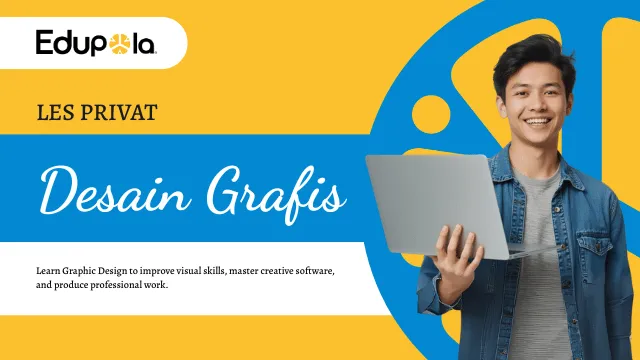
Graphic Design Lessons in Bali
Layout, color, and composition principles that apply in every design program, Illustrator included.
-
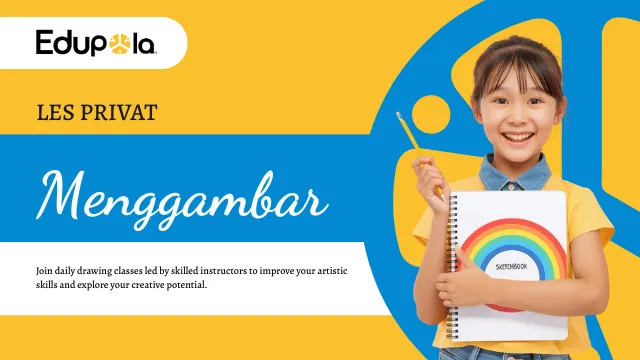
Drawing Lessons in Bali
Hand sketching practice to strengthen form and proportion before you redraw it as vector art.
-
Content Creator Lessons in Bali
Planning and producing social media content, a natural match for visuals you make yourself.
-
Web Design Lessons in Bali
Building website pages, where your SVG icons and illustrations from Illustrator end up.
-

Digital Marketing Lessons in Bali
Digital promotion strategy for anyone producing visual material for their own business.
Get Started
Start Adobe Illustrator Lessons in Bali with Edupola
Tell us what you want to design and when you are free to study. The Edupola team finds an Illustrator tutor for in-person sessions in Bali or for online sessions.